
License & Registration
BandiView License Policy
How to register BandiView
How to troubleshoot when I can’t register BandiView
How to troubleshoot "The product has been registered on too many devices."
BandiView Edition Comparison
Features & Technical Terms
BandiView shortcut keys
Command Line Parameters
Thumbnail preview in File Explorer (psd, clip, ...)
Webtoon View Mode
How to group RAW and JPG files as a single image
Photo folder
How to configure BandiView's video output
How to export and import BandiView settings
Supported BandiView File Formats
How to view CLIP STUDIO PAINT files (.clip) with BandiView
How to view PSD files (.psd) with BandiView
How to view SVG files (.svg) with BandiView
How to view HEIC and HEIF files with BandiView
BandiView for HDR Images
BandiView HDR support
How to turn on HDR settings in Windows
When HDR images do not look like HDR
Sample files for HDR support
The Complete Guide to Ultra HDR Jpeg
BandiView Image Converter
Sharp YUV conversion for WebP images
Tips and Tricks
How to make BandiView auto-run a slideshow
How to register BandiView
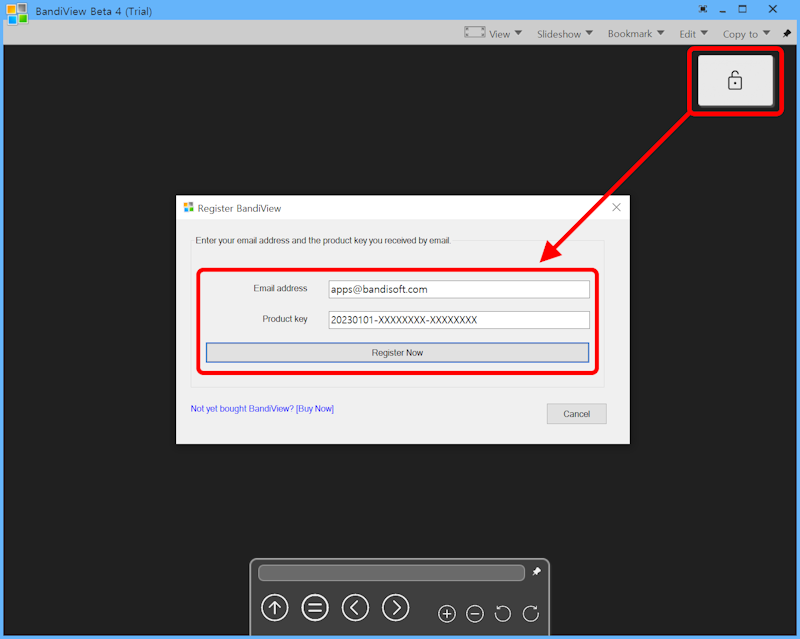
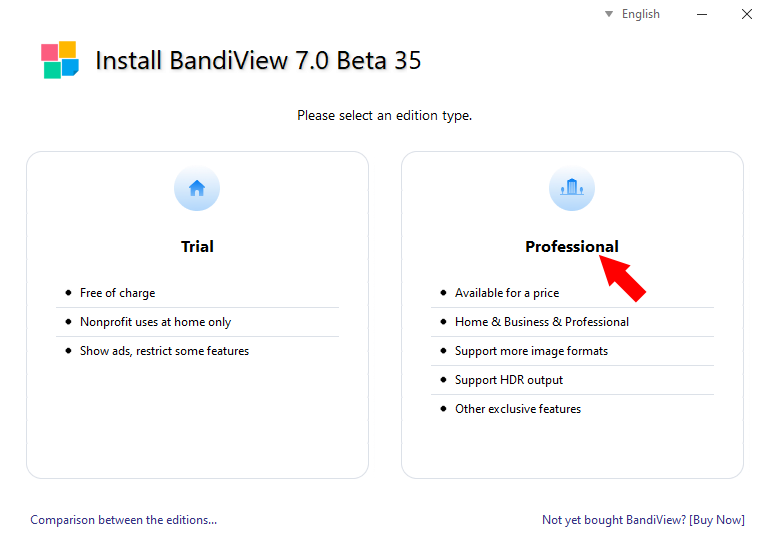
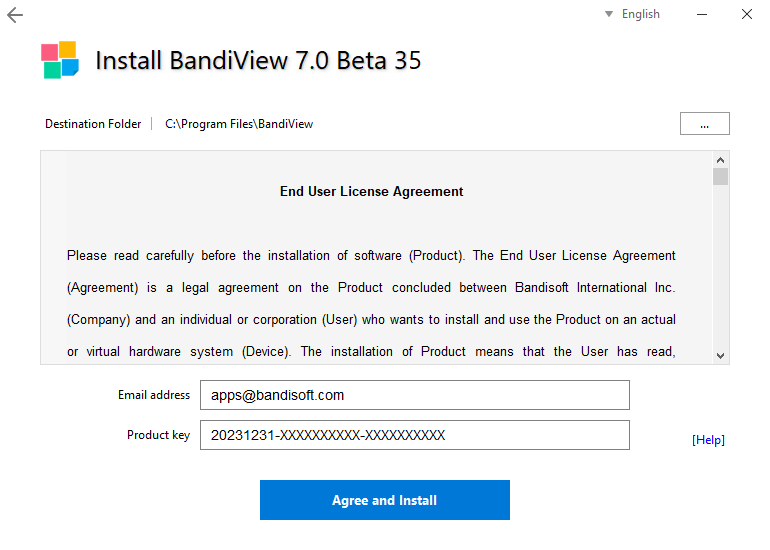
After purchasing a license for BandiView Professional Edition, submit your email address and the product key you received by email as shown in the screenshots.
Not yet bought BandiView?
Buy NowRegister while installing BandiView
Run BandiView installer and select the Professional as an edition type.
Register after installing the Trial Edition
Run BandiView and click the lock-shaped icon.